Site list and site detail
Site list
The Cantieri (sites) view shows the list of sites on the left and the map with their areas on the right.
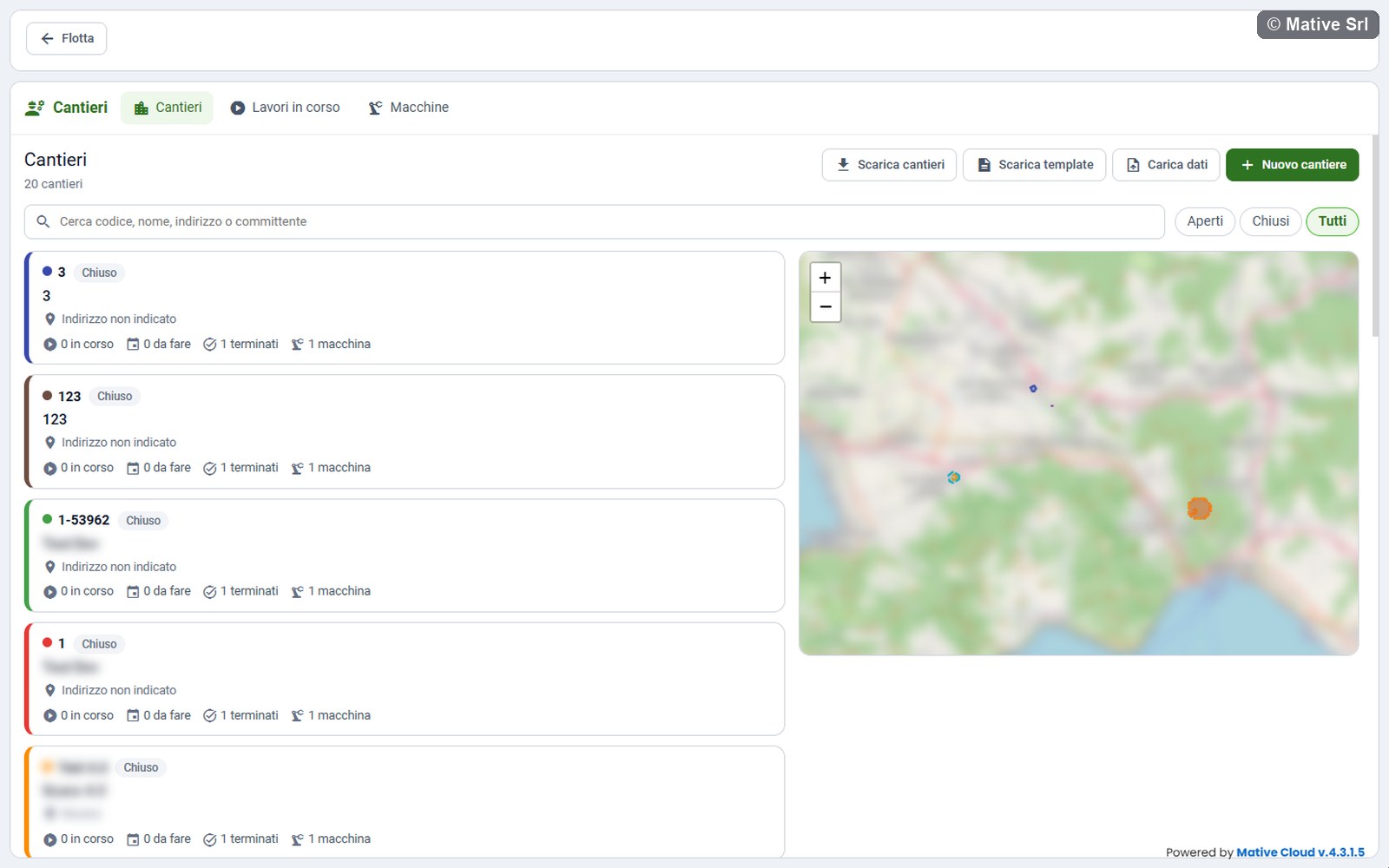
- Search: code, name, address or client (Cerca codice, nome, indirizzo o committente).
- Filters: Aperti (open), Chiusi (closed), Tutti (all).
Each card shows the code and the status of the site, the name, the address and how many works are in corso (in progress), da fare (to do) and terminati (ended), with the number of machines.
Managers also see the buttons Scarica cantieri (download sites), Scarica template (download template), Carica dati (upload data), described in Excel upload and download, and Nuovo cantiere (new site).
Map and colours
Each site has its own colour, always the same: the coloured line on the left of the card, the dot next to the code and the area on the map.
- The area of a closed site is dashed and lighter.
- A site without an area appears on the map as a dot.
Click a card or an area to open the site.
Site detail
The detail shows the code and the name of the site with its status, then:
- Indirizzo (address), Committente (client), Periodo previsto (planned period), Area in hectares and the creation date;
- the description, if there is one;
- Lavori (works): every work with machine, machine type, progress and status. Click a work to open it;
- Cronologia (history): what happened in the site, with date, time and author;
- the map with the area of the site, in its colour, and the position of the machines.
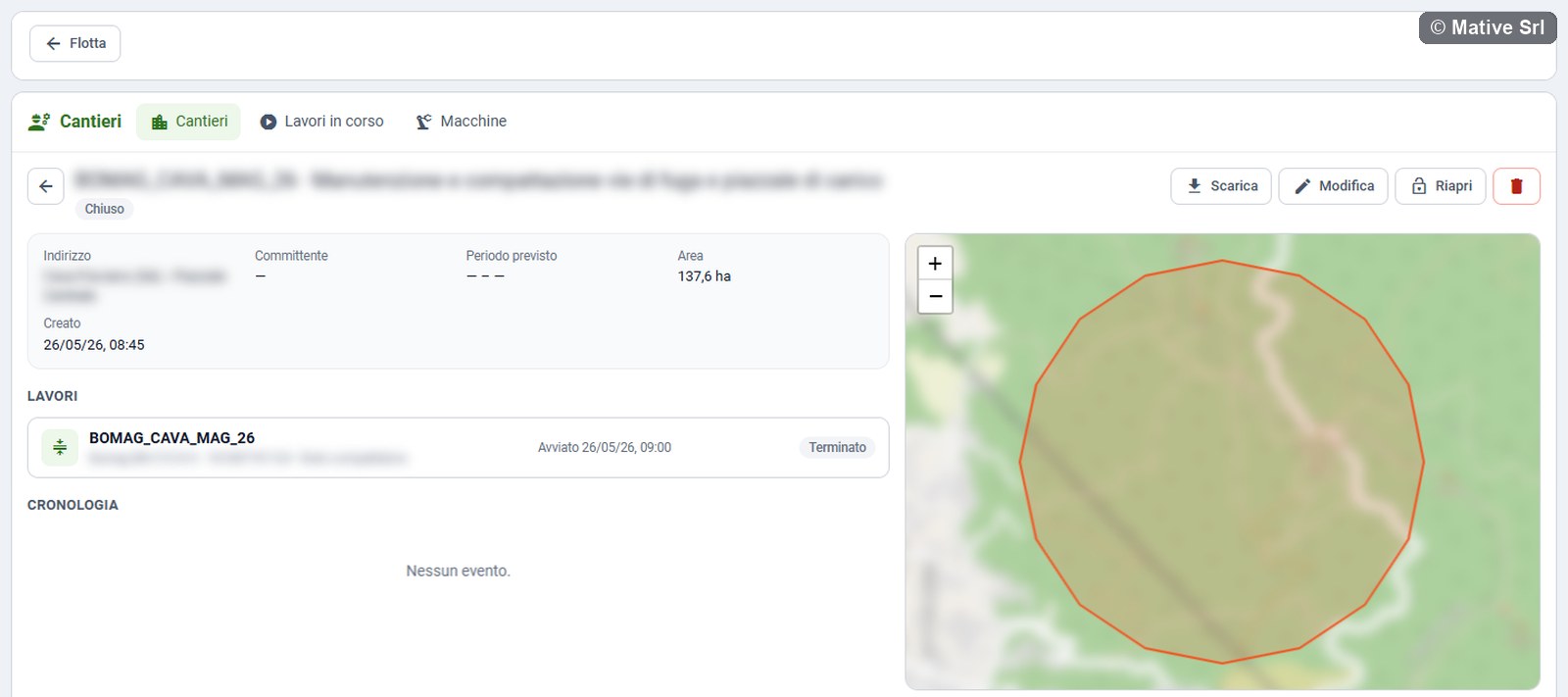
Managers have these buttons:
| Button | What it does |
|---|---|
| Scarica (download) | Downloads the site and its works in Excel (see) |
| Modifica (edit) | Opens the site window to change data and area |
| Chiudi / Riapri (close, reopen) | Closes or reopens the site |
| Bin | Deletes the site and its works |
| Nuovo lavoro (new work) | Creates a work in the site, if it is open (see) |
New site
Nuovo cantiere opens a window with:
| Field | Note |
|---|---|
| Codice (code) * | Required, unique among the sites of the company |
| Nome (name) * | Required |
| Indirizzo (address) | |
| Committente (client) | |
| Inizio previsto, Fine prevista (planned start and end) | |
| Descrizione (description) |
Drawing the area
Under Area del cantiere (site area):
- Type an address in Cerca un indirizzo sulla mappa (search an address on the map) and press Cerca (search) to move the map there.
- With the tools on the map, draw a polygon, a rectangle, a circle or a line, for example a road to be rolled.
- Press Salva (save).
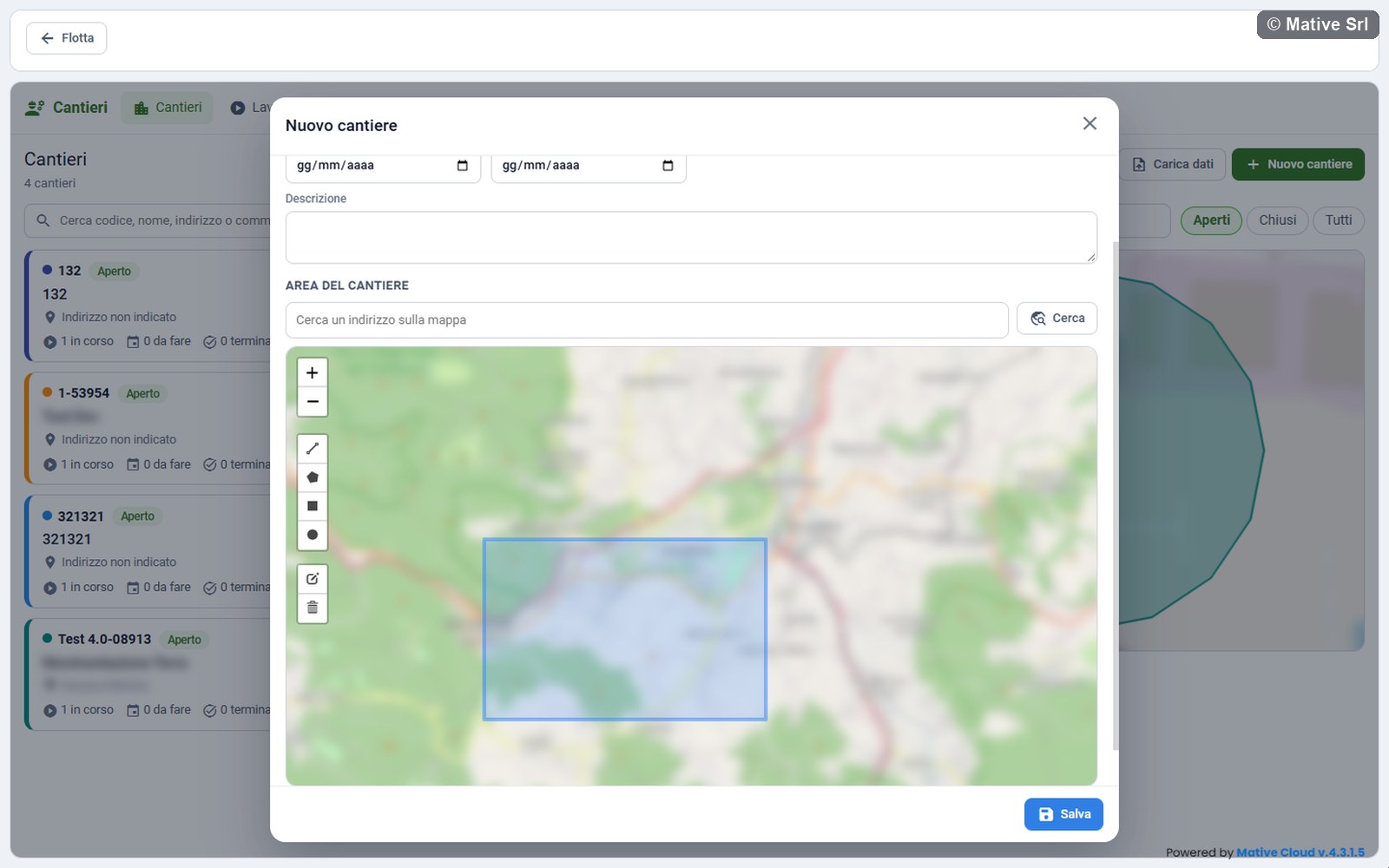
The area is optional: you can draw it later from Modifica. It is used by the works: a machine outside the area is marked Fuori area (outside the area), and the roller counts its passes only inside it.
Closing and reopening
Chiudi (close) asks for confirmation and closes the site. While a site is closed:
- its works cannot be started: the work page shows Il cantiere è chiuso: il lavoro non si può avviare (the site is closed: the work cannot be started);
- no new works can be created in it;
- on the map its area is dashed.
Riapri (reopen) opens it again.
Deleting a site
The bin deletes the site and its works, after a confirmation. A site with a work in progress cannot be deleted: end the work first.